Mains voltage (230 V) — can kill. The low-voltage side (board, sensors, display, relay module) is safe to build yourself. The mains side must be wired by a licensed electrician, and tested with the circuit switched off at the MCB.
- Never switch a motor with a relay module. Motors pull several times their running current at start-up; hobby relay contacts weld or overheat. The relay only drives a contactor’s coil (or your pump starter’s coil input).
- Contactor rated for motors (AC-3) at or above the load’s nameplate current.
- Protect and earth: MCB on live, RCCB/ELCB on the circuit, metal bodies earthed. Switch live only — never neutral or earth.
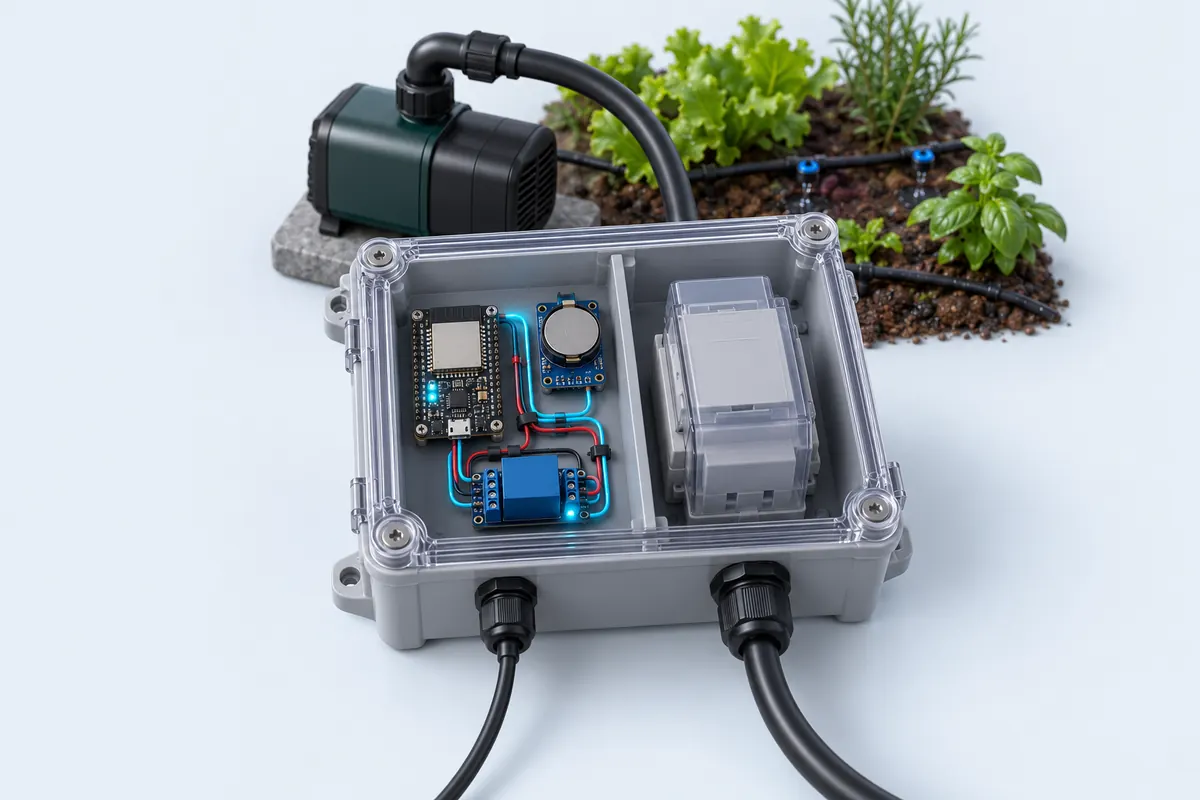
- Keep the two worlds apart: mains and low-voltage wiring in separate compartments of a closed, non-metallic enclosure; no bare 230 V terminals.
- Fail safe: the code switches the load off when a sensor stops answering. Still fit a manual override at the starter.
Parts list
| Part | Qty | Approx. | Buy |
|---|---|---|---|
| ESP32 DevKit V1 (30-pin) | 1 | ₹380 | Buy ESP32 DevKit V1 (30-pin) |
| DS3231 RTC module + CR2032 cell | 1 | ₹150 | Buy DS3231 RTC module + CR2032 cell |
| 1-channel relay module, 5 V coil, 3.3 V-trigger | 1 | ₹70 | Buy 1-channel relay module, 5 V coil, 3.3 V-trigger |
| Contactor rated for the pump (230 V AC coil) — or your starter’s coil input | 1 | ₹650 | Buy Contactor rated for the pump (230 V AC coil) — or your starter’s coil input |
| 5 V 1 A adapter | 1 | ₹120 | Buy 5 V 1 A adapter |
| IP65 enclosure | 1 | ₹250 | Buy IP65 enclosure |
| Total | ₹1,620 |
Affiliate disclosure: “Buy” links may earn FlashReady a small commission at no extra cost to you. Prices are indicative.
Wiring
| ESP32 DevKit V1 | Part · pin | Wire | Notes |
|---|---|---|---|
| D22 | DS3231 real-time clock (RTC) module · SCL | yellow | |
| D21 | DS3231 real-time clock (RTC) module · SDA | blue | |
| 3V3 | DS3231 real-time clock (RTC) module · VCC | red | |
| GND | DS3231 real-time clock (RTC) module · GND | black | |
| D26 | 1-channel relay module (5 V coil) · IN | orange | COM/NO switch the contactor coil — never the pump itself |
| VIN | 1-channel relay module (5 V coil) · DC+ | red | |
| GND | 1-channel relay module (5 V coil) · DC− | black | |
| Contactor coil circuit, 230 V (electrician) · L | 1-channel relay module (5 V coil) · COM | brown | Live from the MCB to COM — 230 V, wired by an electrician |
| Contactor coil circuit, 230 V (electrician) · A1 | 1-channel relay module (5 V coil) · NO | brown | NO to the contactor coil A1; coil A2 goes to neutral |
Board quirks: The relay module only switches the contactor’s coil. The pump’s current goes through the contactor, which an electrician wires with the right MCB and overload protection. Set the clock once over Serial: <code>SET 2026 10 31 06 00 00</code>. The DS3231’s coin cell keeps it running for years without power. If the RTC loses power, the sketch refuses to run the pump until the time is set again — a clock stuck at the year 2000 would run at the wrong hour. Some cheap DS3231 boards have a charging circuit meant for a rechargeable LIR2032. With a normal CR2032, remove the small diode or resistor next to the cell holder.
Code
// Irrigation timer with RTC — ESP32 DevKit V1 + DS3231 + relay module
// DS3231 on I2C D21/D22 (powered from 3V3), relay module IN on D26.
// The relay drives a CONTACTOR coil (or the pump starter's coil input), never the pump.
// Set the clock once: send "SET 2026 10 31 06 00 00" in the Serial Monitor (115200).
#include <Wire.h>
#include <RTClib.h>

constexpr uint8_t RELAY_PIN = 26;
constexpr bool RELAY_ACTIVE_LOW = true;

struct Window {
  uint8_t hour, minute, minutes;  // start time + duration
};
Window schedule[] = {
  {6, 0, 20},   // 06:00 for 20 minutes
  {18, 0, 20},  // 18:00 for 20 minutes
};

RTC_DS3231 rtc;
bool pumpOn = false;

void setPump(bool on) {
  if (on == pumpOn) return;
  pumpOn = on;
  digitalWrite(RELAY_PIN, (on != RELAY_ACTIVE_LOW) ? HIGH : LOW);
  Serial.println(on ? "Pump ON" : "Pump OFF");
}

bool inWindow(const DateTime& now) {
  int nowMin = now.hour() * 60 + now.minute();
  for (const auto& w : schedule) {
    int start = w.hour * 60 + w.minute;
    if (nowMin >= start && nowMin < start + w.minutes) return true;
  }
  return false;
}

void readSerialCommand() {
  if (!Serial.available()) return;
  String cmd = Serial.readStringUntil('\n');
  int y, mo, d, h, mi, s;
  if (sscanf(cmd.c_str(), "SET %d %d %d %d %d %d", &y, &mo, &d, &h, &mi, &s) == 6) {
    rtc.adjust(DateTime(y, mo, d, h, mi, s));
    Serial.println("Clock set");
  }
}

void setup() {
  digitalWrite(RELAY_PIN, RELAY_ACTIVE_LOW ? HIGH : LOW);
  pinMode(RELAY_PIN, OUTPUT);
  Serial.begin(115200);
  Wire.begin(21, 22);
  if (!rtc.begin()) Serial.println("DS3231 not found — check SDA/SCL and power");
  if (rtc.lostPower()) Serial.println("RTC lost power — set the time with SET YYYY MM DD hh mm ss");
}

void loop() {
  readSerialCommand();
  DateTime now = rtc.now();
  // A clock that lost power reads year 2000: never run the pump on a wrong clock.
  bool clockOk = now.year() >= 2025 && !rtc.lostPower();
  setPump(clockOk && inWindow(now));

  static uint8_t lastSecond = 99;
  if (now.second() != lastSecond && now.second() % 10 == 0) {
    Serial.printf("%04d-%02d-%02d %02d:%02d:%02d pump=%s\n", now.year(), now.month(), now.day(), now.hour(), now.minute(), now.second(),
                  pumpOn ? "on" : "off");
  }
  lastSecond = now.second();
  delay(200);
}
// Irrigation timer with RTC — ESP32 DevKit V1 + DS3231 + relay module
// DS3231 on I2C D21/D22 (powered from 3V3), relay module IN on D26.
// The relay drives a CONTACTOR coil (or the pump starter's coil input), never the pump.
// Set the clock once: send "SET 2026 10 31 06 00 00" in the Serial Monitor (115200).
#include <Wire.h>
#include <RTClib.h>
constexpr uint8_t RELAY_PIN = 26;
constexpr bool RELAY_ACTIVE_LOW = true;
struct Window {
uint8_t hour, minute, minutes; // start time + duration
};
Window schedule[] = {
{6, 0, 20}, // 06:00 for 20 minutes
{18, 0, 20}, // 18:00 for 20 minutes
};
RTC_DS3231 rtc;
bool pumpOn = false;
void setPump(bool on) {
if (on == pumpOn) return;
pumpOn = on;
digitalWrite(RELAY_PIN, (on != RELAY_ACTIVE_LOW) ? HIGH : LOW);
Serial.println(on ? "Pump ON" : "Pump OFF");
}
bool inWindow(const DateTime& now) {
int nowMin = now.hour() * 60 + now.minute();
for (const auto& w : schedule) {
int start = w.hour * 60 + w.minute;
if (nowMin >= start && nowMin < start + w.minutes) return true;
}
return false;
}
void readSerialCommand() {
if (!Serial.available()) return;
String cmd = Serial.readStringUntil('\n');
int y, mo, d, h, mi, s;
if (sscanf(cmd.c_str(), "SET %d %d %d %d %d %d", &y, &mo, &d, &h, &mi, &s) == 6) {
rtc.adjust(DateTime(y, mo, d, h, mi, s));
Serial.println("Clock set");
}
}
void setup() {
digitalWrite(RELAY_PIN, RELAY_ACTIVE_LOW ? HIGH : LOW);
pinMode(RELAY_PIN, OUTPUT);
Serial.begin(115200);
Wire.begin(21, 22);
if (!rtc.begin()) Serial.println("DS3231 not found — check SDA/SCL and power");
if (rtc.lostPower()) Serial.println("RTC lost power — set the time with SET YYYY MM DD hh mm ss");
}
void loop() {
readSerialCommand();
DateTime now = rtc.now();
// A clock that lost power reads year 2000: never run the pump on a wrong clock.
bool clockOk = now.year() >= 2025 && !rtc.lostPower();
setPump(clockOk && inWindow(now));
static uint8_t lastSecond = 99;
if (now.second() != lastSecond && now.second() % 10 == 0) {
Serial.printf("%04d-%02d-%02d %02d:%02d:%02d pump=%s\n", now.year(), now.month(), now.day(), now.hour(), now.minute(), now.second(),
pumpOn ? "on" : "off");
}
lastSecond = now.second();
delay(200);
}Compiled for esp32 on esp32 3.3.12 with RTClib 2.1.4 · 3 Nov 2026
How it works
Many farmers start the borewell pump at the same times every day — early morning and evening. This timer does it for them. An ESP32 checks a DS3231 clock and switches the pump through a relay and contactor for 20 minutes at 06:00 and 18:00.
The DS3231 is a temperature-compensated clock accurate to about a minute a year, with a coin cell that keeps it running through power cuts. When the power comes back, the ESP32 reads the correct time and carries on with the schedule, unlike a plain millis() timer.
The schedule is a small list of start times and durations. Add or change entries in schedule[] to match your crop. Each loop the sketch checks whether the current minute falls inside any window and switches the relay accordingly, so a restart in the middle of a window resumes watering.
The relay module never carries pump current. It switches the coil of a contactor sized for the motor, and the contactor, MCB and earthing are wired by a licensed electrician.
Troubleshooting
"DS3231 not found"
Check SDA is on D21 and SCL on D22, and the module has 3.3 V. Run the I2C scanner — the DS3231 answers at 0x68.
The pump didn’t run at the set time
Open the Serial Monitor: the sketch prints the time every 10 seconds. If the time is wrong, set it again; if it says "lost power", replace the coin cell.
The relay clicks but the pump doesn’t start
Make sure the relay is switching the contactor coil through COM and NO (not NC), and that the contactor’s coil voltage matches its supply. Have the electrician check the starter.
Upgrades
- Add a soil-moisture sensor and skip a watering when the soil is already wet.
- Add a float switch so the pump never runs a dry well.
- Set the schedule from your phone with a small web page on the ESP32.