Parts list
| Part | Qty | Approx. | Buy |
|---|---|---|---|
| ESP32 DevKit V1 (30-pin, ESP32-WROOM-32) | 1 | ₹380 | Buy ESP32 DevKit V1 (30-pin, ESP32-WROOM-32) |
| MAX7219 4-in-1 LED dot-matrix module (FC-16 type, 32×8) | 1 | ₹280 | Buy MAX7219 4-in-1 LED dot-matrix module (FC-16 type, 32×8) |
| 4-channel BSS138 level shifter (3.3 V ↔ 5 V) | 1 | ₹40 | Buy 4-channel BSS138 level shifter (3.3 V ↔ 5 V) |
| 5 V 2 A USB adapter + micro-USB cable | 1 | ₹200 | Buy 5 V 2 A USB adapter + micro-USB cable |
| Jumper wires | 1 | ₹30 | Buy Jumper wires |
| Acrylic or cardboard frame for the display | 1 | ₹100 | Buy Acrylic or cardboard frame for the display |
| Total | ₹1,030 |
Affiliate disclosure: “Buy” links may earn FlashReady a small commission at no extra cost to you. Prices are indicative.
Wiring
| ESP32 DevKit V1 | MAX7219 8×8 LED matrix (4-in-1 FC-16 module) | Wire | Notes |
|---|---|---|---|
| D23 | DIN | green | Via level shifter — Shifter LV1 ↔ HV1. Shifter LV = 3V3, HV = VIN (5 V), both GNDs to GND |
| D18 | CLK | blue | Via level shifter — Shifter LV2 ↔ HV2 |
| D5 | CS | yellow | Via level shifter — Shifter LV3 ↔ HV3. D5 is a strapping pin, fine as an output once booted |
| VIN | VCC | red | 5 V from USB. Keep brightness low (2 of 15) on USB power |
| GND | GND | black |
Board quirks: Change the login code before the board goes on a wall: anyone near enough to pair could otherwise send a notice. Connect, send <code>#login 0000</code>, then <code>#code 4821</code> (your own 4–8 digits). The code is stored in flash. The MAX7219 runs at 5 V and wants at least 3.5 V for a logic HIGH; an ESP32 gives 3.3 V. Many boards work without the shifter, some show garbage — the shifter makes it reliable. Bluetooth Classic (the serial profile) needs the original ESP32. ESP32-S3, C3 and C6 have only Bluetooth Low Energy and won’t run this sketch. Phones: Android with a “Serial Bluetooth Terminal” type app works. iPhones don’t support Bluetooth Classic serial, so use an Android phone or the USB Serial Monitor. The built-in font is ASCII: English letters, digits and punctuation. Hindi or other scripts won’t display. At brightness 15 with many LEDs lit, four matrices can draw close to 1 A; brightness 2 is bright enough indoors and stays well within a USB port.
Code
// Bluetooth notice board — ESP32 DevKit V1 + FC-16 4-in-1 MAX7219 LED matrix.
// Pair a phone with "FR-NoticeBoard", open a Bluetooth serial terminal app, log in once with
// "#login 0000", then every line you send becomes the scrolling notice. It is saved in flash,
// so it comes back after a power cut.
// Commands: #login <code>, #code <new 4–8 digit code>, #speed 1–9, #bright 0–15, #show.
// Matrix (5 V): DIN → D23, CLK → D18, CS → D5, each through a 3.3 V → 5 V level shifter.
#include <BluetoothSerial.h>
#include <Preferences.h>
#include <MD_MAX72xx.h>

constexpr uint8_t DIN_PIN = 23, CLK_PIN = 18, CS_PIN = 5;
constexpr uint8_t DEVICES = 4;
constexpr size_t MAX_MSG = 200;

MD_MAX72XX mx(MD_MAX72XX::FC16_HW, DIN_PIN, CLK_PIN, CS_PIN, DEVICES);
BluetoothSerial bt;
Preferences prefs;

String message, passcode, line;
uint8_t speed = 5, bright = 2;
bool loggedIn = false, hadClient = false;

// Scrolling: the library calls this for each new column entering on the right.
size_t msgPos = 0;
uint8_t charCol = 0, charLen = 0, charBuf[8];
bool inGap = false;

uint8_t nextColumn(uint8_t, MD_MAX72XX::transformType_t) {
  if (charCol >= charLen) {  // finished a character (or its gap): load the next one
    if (!inGap && charLen) {
      inGap = true;  // one blank column between characters
      charCol = 0;
      charLen = 1;
      charBuf[0] = 0;
    } else {
      inGap = false;
      if (msgPos >= message.length()) msgPos = 0;
      char c = message.length() ? message[msgPos++] : ' ';
      charLen = mx.getChar(c, sizeof charBuf, charBuf);
      charCol = 0;
    }
  }
  return charBuf[charCol++];
}

void saveSettings() {
  prefs.putString("msg", message);
  prefs.putString("code", passcode);
  prefs.putUChar("speed", speed);
  prefs.putUChar("bright", bright);
}

void reply(const String& s) {
  bt.println(s);
  Serial.println(s);
}

void handleLine(String s) {
  s.trim();
  if (!s.length()) return;
  if (s.startsWith("#login ")) {
    loggedIn = s.substring(7) == passcode;
    reply(loggedIn ? "OK — send a line to change the notice" : "Wrong code");
    return;
  }
  if (!loggedIn) {
    reply("Log in first: #login <code>");
    return;
  }
  if (s.startsWith("#code ")) {
    String c = s.substring(6);
    bool digits = c.length() >= 4 && c.length() <= 8;
    for (char ch : c) digits &= isDigit(ch);
    if (!digits) return reply("Code must be 4–8 digits");
    passcode = c;
    saveSettings();
    return reply("Code changed");
  }
  if (s.startsWith("#speed ")) {
    speed = constrain(s.substring(7).toInt(), 1, 9);
    saveSettings();
    return reply("Speed " + String(speed));
  }
  if (s.startsWith("#bright ")) {
    bright = constrain(s.substring(8).toInt(), 0, 15);
    mx.control(MD_MAX72XX::INTENSITY, bright);
    saveSettings();
    return reply("Brightness " + String(bright));
  }
  if (s == "#show") return reply("Notice: " + message);
  if (s[0] == '#') return reply("Commands: #code, #speed 1-9, #bright 0-15, #show");
  message = s.substring(0, MAX_MSG) + "     ";
  msgPos = 0;
  saveSettings();
  reply("Notice updated");
}

void setup() {
  Serial.begin(115200);
  Serial.println("Bluetooth notice board");
  prefs.begin("notice", false);
  message = prefs.getString("msg", "Welcome to the science exhibition!     ");
  passcode = prefs.getString("code", "0000");
  speed = prefs.getUChar("speed", 5);
  bright = prefs.getUChar("bright", 2);
  mx.begin();
  mx.control(MD_MAX72XX::INTENSITY, bright);
  mx.clear();
  mx.setShiftDataInCallback(nextColumn);
  bt.begin("FR-NoticeBoard");
  Serial.println("Bluetooth name: FR-NoticeBoard — log in with #login <code> (default 0000, change it!)");
  Serial.print("Notice: ");
  Serial.println(message);
}

void loop() {
  static unsigned long lastShift = 0;
  // Speed 1 = 110 ms per column (slow), 9 = 30 ms (fast).
  if (millis() - lastShift >= 120 - speed * 10u) {
    lastShift = millis();
    mx.transform(MD_MAX72XX::TSL);
  }
  bool client = bt.hasClient();
  if (client != hadClient) {
    hadClient = client;
    loggedIn = false;  // every new connection must log in again
    Serial.println(client ? "Phone connected" : "Phone disconnected");
  }
  while (bt.available()) {
    char c = bt.read();
    if (c == '\n' || c == '\r') {
      handleLine(line);
      line = "";
    } else if (line.length() < MAX_MSG + 20) line += c;
  }
}
// Bluetooth notice board — ESP32 DevKit V1 + FC-16 4-in-1 MAX7219 LED matrix.
// Pair a phone with "FR-NoticeBoard", open a Bluetooth serial terminal app, log in once with
// "#login 0000", then every line you send becomes the scrolling notice. It is saved in flash,
// so it comes back after a power cut.
// Commands: #login <code>, #code <new 4–8 digit code>, #speed 1–9, #bright 0–15, #show.
// Matrix (5 V): DIN → D23, CLK → D18, CS → D5, each through a 3.3 V → 5 V level shifter.
#include <BluetoothSerial.h>
#include <Preferences.h>
#include <MD_MAX72xx.h>
constexpr uint8_t DIN_PIN = 23, CLK_PIN = 18, CS_PIN = 5;
constexpr uint8_t DEVICES = 4;
constexpr size_t MAX_MSG = 200;
MD_MAX72XX mx(MD_MAX72XX::FC16_HW, DIN_PIN, CLK_PIN, CS_PIN, DEVICES);
BluetoothSerial bt;
Preferences prefs;
String message, passcode, line;
uint8_t speed = 5, bright = 2;
bool loggedIn = false, hadClient = false;
// Scrolling: the library calls this for each new column entering on the right.
size_t msgPos = 0;
uint8_t charCol = 0, charLen = 0, charBuf[8];
bool inGap = false;
uint8_t nextColumn(uint8_t, MD_MAX72XX::transformType_t) {
if (charCol >= charLen) { // finished a character (or its gap): load the next one
if (!inGap && charLen) {
inGap = true; // one blank column between characters
charCol = 0;
charLen = 1;
charBuf[0] = 0;
} else {
inGap = false;
if (msgPos >= message.length()) msgPos = 0;
char c = message.length() ? message[msgPos++] : ' ';
charLen = mx.getChar(c, sizeof charBuf, charBuf);
charCol = 0;
}
}
return charBuf[charCol++];
}
void saveSettings() {
prefs.putString("msg", message);
prefs.putString("code", passcode);
prefs.putUChar("speed", speed);
prefs.putUChar("bright", bright);
}
void reply(const String& s) {
bt.println(s);
Serial.println(s);
}
void handleLine(String s) {
s.trim();
if (!s.length()) return;
if (s.startsWith("#login ")) {
loggedIn = s.substring(7) == passcode;
reply(loggedIn ? "OK — send a line to change the notice" : "Wrong code");
return;
}
if (!loggedIn) {
reply("Log in first: #login <code>");
return;
}
if (s.startsWith("#code ")) {
String c = s.substring(6);
bool digits = c.length() >= 4 && c.length() <= 8;
for (char ch : c) digits &= isDigit(ch);
if (!digits) return reply("Code must be 4–8 digits");
passcode = c;
saveSettings();
return reply("Code changed");
}
if (s.startsWith("#speed ")) {
speed = constrain(s.substring(7).toInt(), 1, 9);
saveSettings();
return reply("Speed " + String(speed));
}
if (s.startsWith("#bright ")) {
bright = constrain(s.substring(8).toInt(), 0, 15);
mx.control(MD_MAX72XX::INTENSITY, bright);
saveSettings();
return reply("Brightness " + String(bright));
}
if (s == "#show") return reply("Notice: " + message);
if (s[0] == '#') return reply("Commands: #code, #speed 1-9, #bright 0-15, #show");
message = s.substring(0, MAX_MSG) + " ";
msgPos = 0;
saveSettings();
reply("Notice updated");
}
void setup() {
Serial.begin(115200);
Serial.println("Bluetooth notice board");
prefs.begin("notice", false);
message = prefs.getString("msg", "Welcome to the science exhibition! ");
passcode = prefs.getString("code", "0000");
speed = prefs.getUChar("speed", 5);
bright = prefs.getUChar("bright", 2);
mx.begin();
mx.control(MD_MAX72XX::INTENSITY, bright);
mx.clear();
mx.setShiftDataInCallback(nextColumn);
bt.begin("FR-NoticeBoard");
Serial.println("Bluetooth name: FR-NoticeBoard — log in with #login <code> (default 0000, change it!)");
Serial.print("Notice: ");
Serial.println(message);
}
void loop() {
static unsigned long lastShift = 0;
// Speed 1 = 110 ms per column (slow), 9 = 30 ms (fast).
if (millis() - lastShift >= 120 - speed * 10u) {
lastShift = millis();
mx.transform(MD_MAX72XX::TSL);
}
bool client = bt.hasClient();
if (client != hadClient) {
hadClient = client;
loggedIn = false; // every new connection must log in again
Serial.println(client ? "Phone connected" : "Phone disconnected");
}
while (bt.available()) {
char c = bt.read();
if (c == '\n' || c == '\r') {
handleLine(line);
line = "";
} else if (line.length() < MAX_MSG + 20) line += c;
}
}Compiled for esp32 on esp32 3.3.12 with MD_MAX72XX 3.5.1 · 3 Nov 2026
How it works
A scrolling notice board is a favourite college mini-project and a genuinely useful thing for a classroom, lab, canteen or school gate: change the message from your phone in seconds, no laptop needed.
How it works
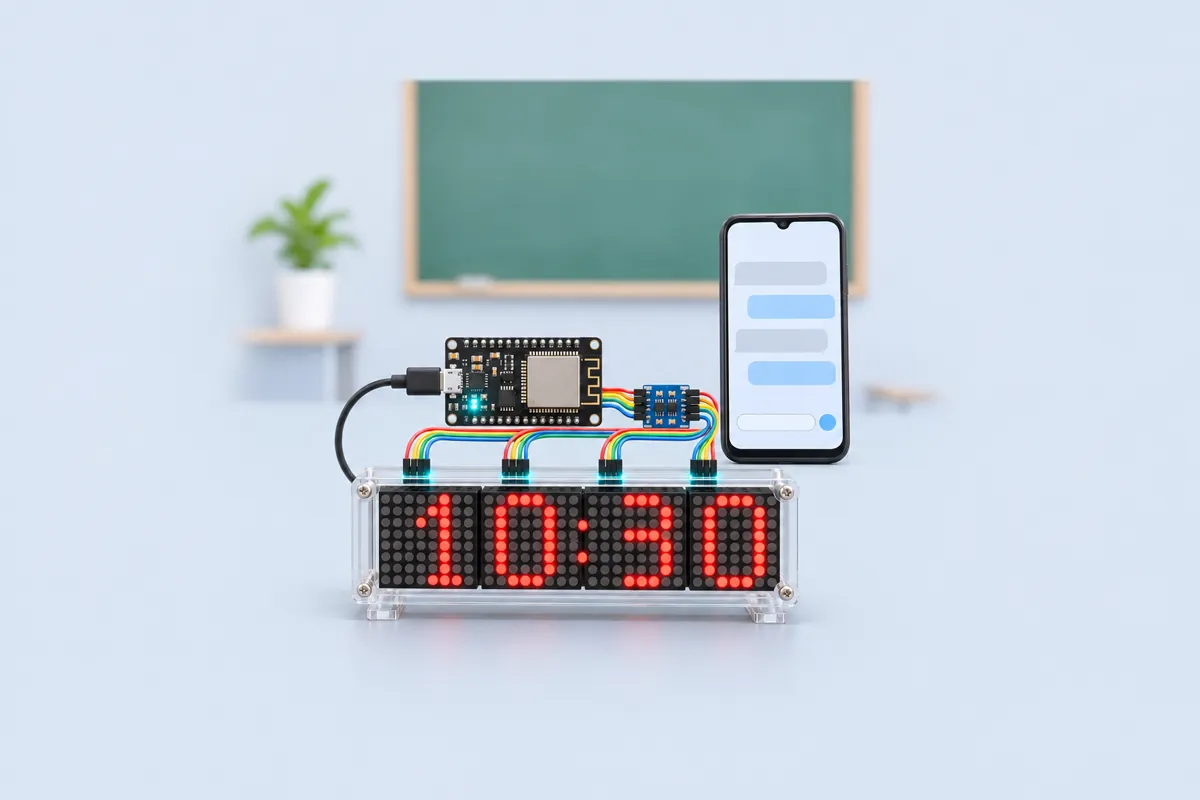
The FC-16 module chains four MAX7219 driver chips, each running one 8×8 LED matrix — 32 columns × 8 rows. The MAX7219 scans the LEDs by itself; the ESP32 only sends it bytes over three wires (DIN, CLK, CS). The MD_MAX72XX library handles the chain.
Scrolling uses the library’s shift-and-fill feature: every few tens of milliseconds the ESP32 calls transform(TSL), which shifts the whole picture one column left, and the library asks the sketch for the new rightmost column. The sketch hands over the next column of the current character from the built-in 5×7 font, then a blank column, then moves to the next letter, looping round the message forever.
The ESP32’s Bluetooth Classic radio shows up as a serial port named FR-NoticeBoard. A phone terminal app sends text lines to it:
| Send | Effect |
|---|---|
#login 0000 |
unlock for this connection (default code — change it) |
| any text | becomes the new notice |
#speed 1–9 |
slow to fast |
#bright 0–15 |
LED brightness |
#code 4821 |
change the login code |
#show |
replies with the current notice |
The notice, code, speed and brightness are saved with Preferences in the ESP32’s flash, so after a power cut the board comes back with the same text.
What to show at the exhibition
Hand your phone to a visitor and let them type a message — seeing their own words scroll across the board is the moment people remember. Show that a wrong login code is refused, and pull the plug to show the notice survives.
Questions the examiner may ask
- Why does the MAX7219 need a level shifter? It runs on 5 V and needs at least 3.5 V to see a HIGH; the ESP32’s pins give 3.3 V.
- How does the display hold a picture while the ESP32 does other work? Each MAX7219 has its own memory and multiplexes the LEDs itself; the ESP32 only changes the data.
- Bluetooth Classic vs BLE? Classic’s serial profile (SPP) is a simple wireless serial cable, ideal for text. BLE uses less power but needs custom services and app support.
- Why a login code? Bluetooth range is 10 m or more. Without a check, anyone in range could post on your board.
Cost in India
About ₹1,000 with the adapter. The 4-in-1 FC-16 module costs ₹250–320 online; buy the version with the matrices already soldered to save an evening.
Troubleshooting
The phone can’t find FR-NoticeBoard
Pair it first in the phone’s Bluetooth settings (not inside the app), then connect from the terminal app. If it was paired before a re-flash, forget it and pair again.
The text is mirrored, upside down or in four separate pieces
Your module is not the FC-16 type. Change FC16_HW to PAROLA_HW, GENERIC_HW or ICSTATION_HW until it reads correctly.
It replies “Log in first”
Each new connection must send #login with the code once. If you forgot the code, re-upload with Arduino IDE’s Tools → “Erase All Flash Before Sketch Upload” set to Enabled; it goes back to 0000.
Random dots or a frozen display
Check the level shifter: LV to 3V3, HV to VIN (5 V), and both GND pins to GND. Keep the DIN/CLK/CS wires under 20 cm.
Upgrades
- Chain a second 4-in-1 module (DEVICES = 8) for a longer board.
- Add a DS3231 RTC and show the time between notices.
- Store several notices and rotate them, each with its own command (#1, #2, #3).
- Make a Wi-Fi version with a small web form instead of Bluetooth.